Client work · Live NonprofitEvansville, Indiana2026

Meals on Wheels of Evansville had to be printed out. Now it fits in your pocket.

Volunteers have delivered hot noon meals here since 1965. The website still asked people to print a PDF, get a doctor's signature, and mail it in. I rebuilt it so a neighbor can ask for meals, sign up to drive, or give from their phone.

Client
Meals on Wheels of Evansville, Inc.
What I did
Strategy, copy, design, build, SEO
Pages
8 main pages, plus accessibility, privacy, 404
Built with
Hand-coded HTML, CSS and JavaScript, a small PHP mailer
Launched
2026, on the client's own domain
mealsonwheelsofevansville.org
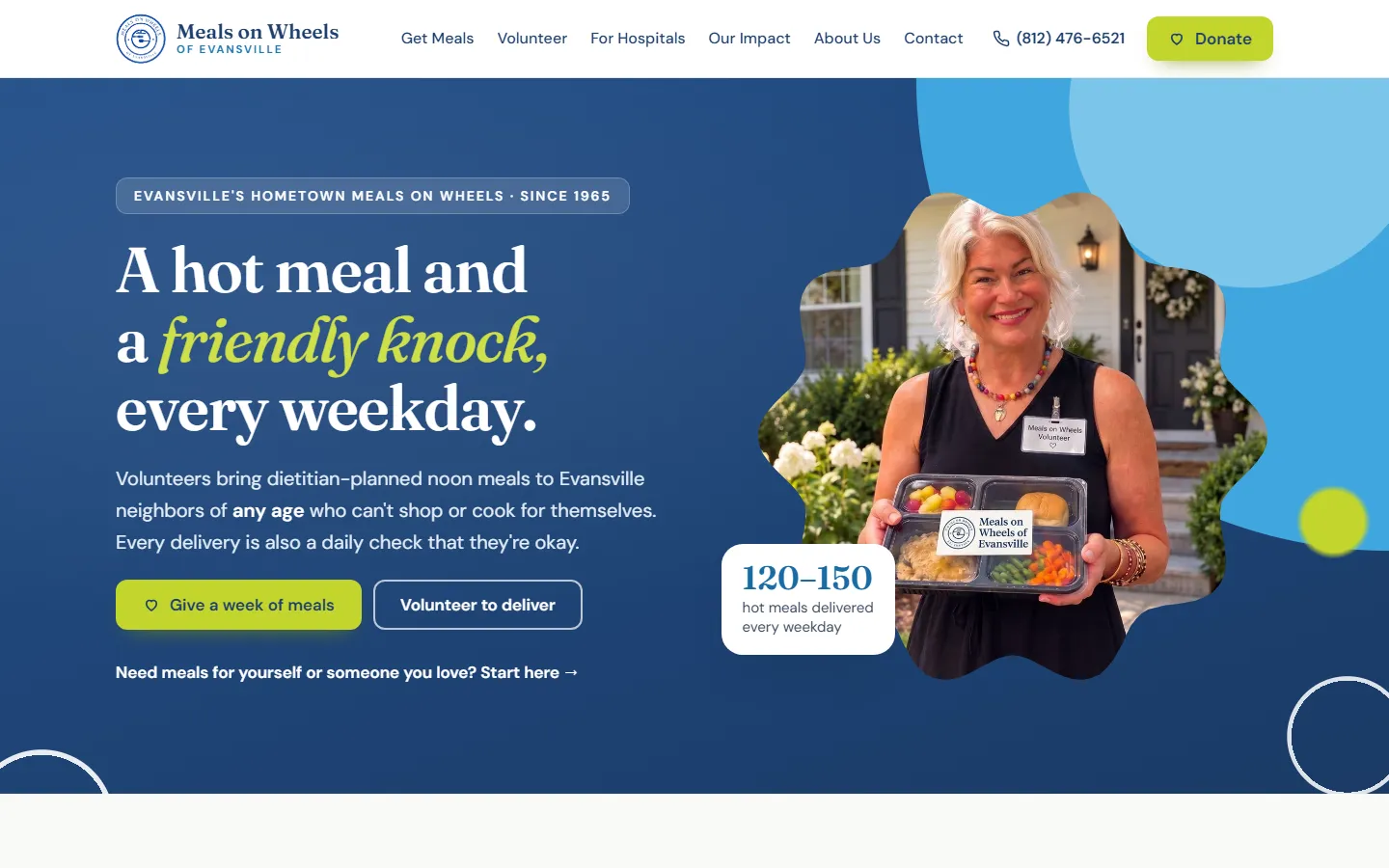
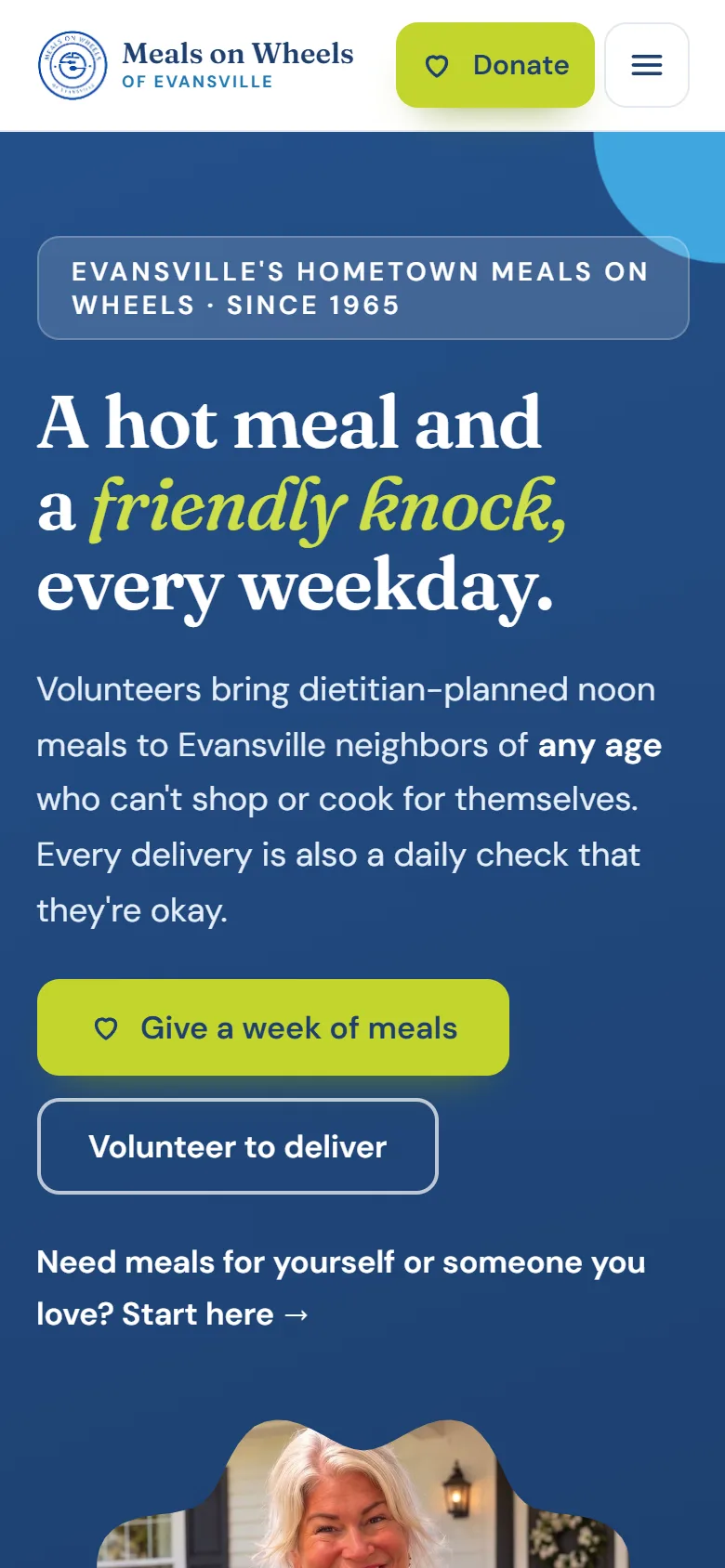
The new Meals on Wheels of Evansville homepage: a navy hero that reads A hot meal and a friendly knock, every weekday, with Give a week of meals and Volunteer to deliver buttons.

(The client)

A small office that feeds a lot of people.

Meals on Wheels of Evansville is an independent nonprofit, separate from the regional agency program that shares the name. Five staff and a crew of volunteers deliver hot, dietitian-planned lunches every weekday to anyone in the city who can't shop or cook, at any age. Clients pay a weekly fee, but it covers only about half the cost. The rest comes from donors.

Meals delivered in 2024
33,006

meals in 2024

Meals each weekday
120–150

meals each weekday

Routes
6

delivery routes

Years running
1965

first delivery

Meal count from the organization's 2024 IRS Form 990. Daily meals and routes from the organization.

(The old site)

Every way in ended at a printer.

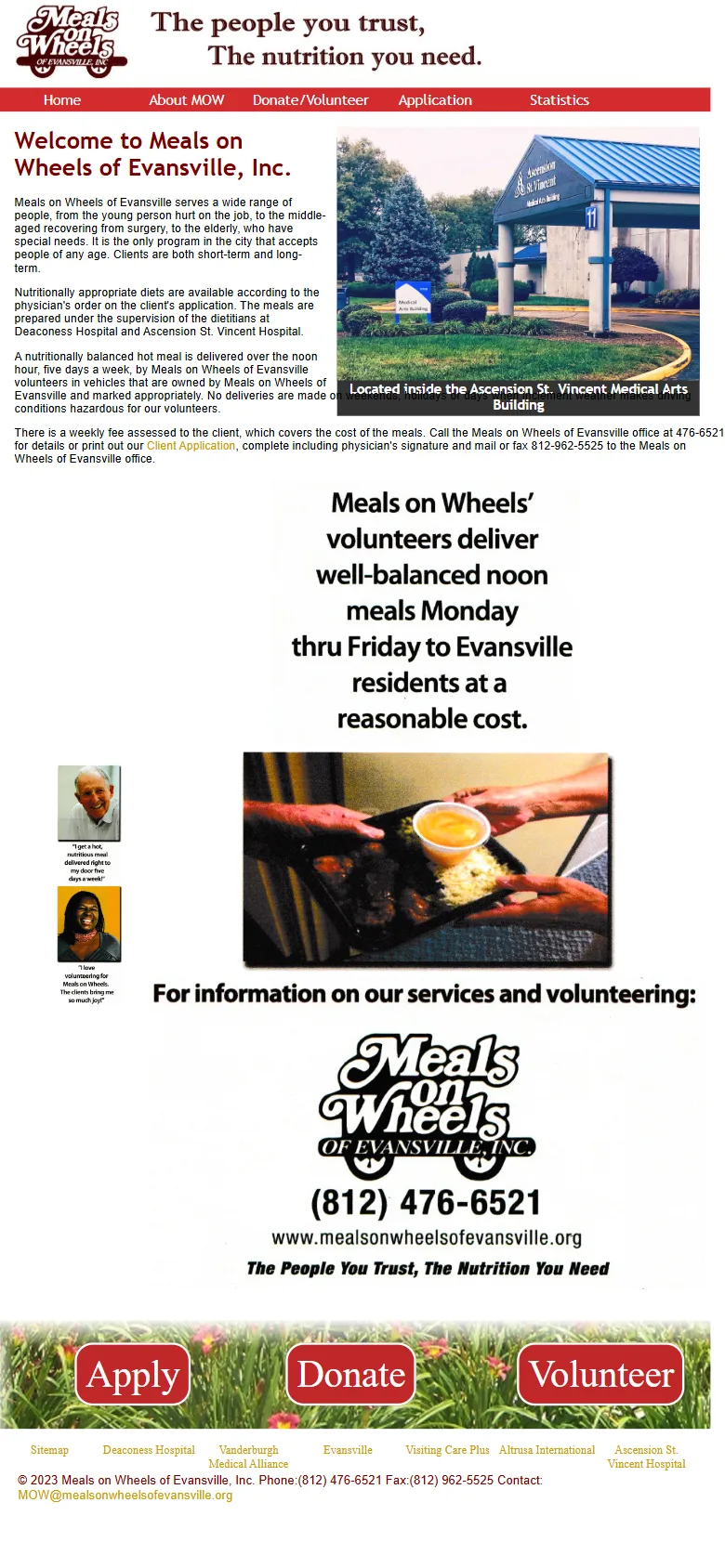
The old site had been hand-built around 2013 and barely touched since. On a phone it shrank to an unreadable thumbnail, and every important task sent people offline:

  • Getting meals meant printing a PDF, getting a physician's signature, and mailing or faxing it to the office.
  • Volunteering meant printing a different PDF and mailing that.
  • Giving meant a check form or a plain link to an off-site page, with nothing to say what a gift actually pays for.
  • Keeping it current had stalled. The newest annual report was from 2022, and an application link on the homepage led to a missing file.

Details from the Internet Archive's copies of the old site, 2013 to 2025.

The old Meals on Wheels of Evansville homepage on a phone: the whole desktop page is shrunk to fit, with tiny red and brown text and image-based buttons.

The old homepage on a phone, as archived in July 2025.

(Before and after)

Same phone. Same homepage.

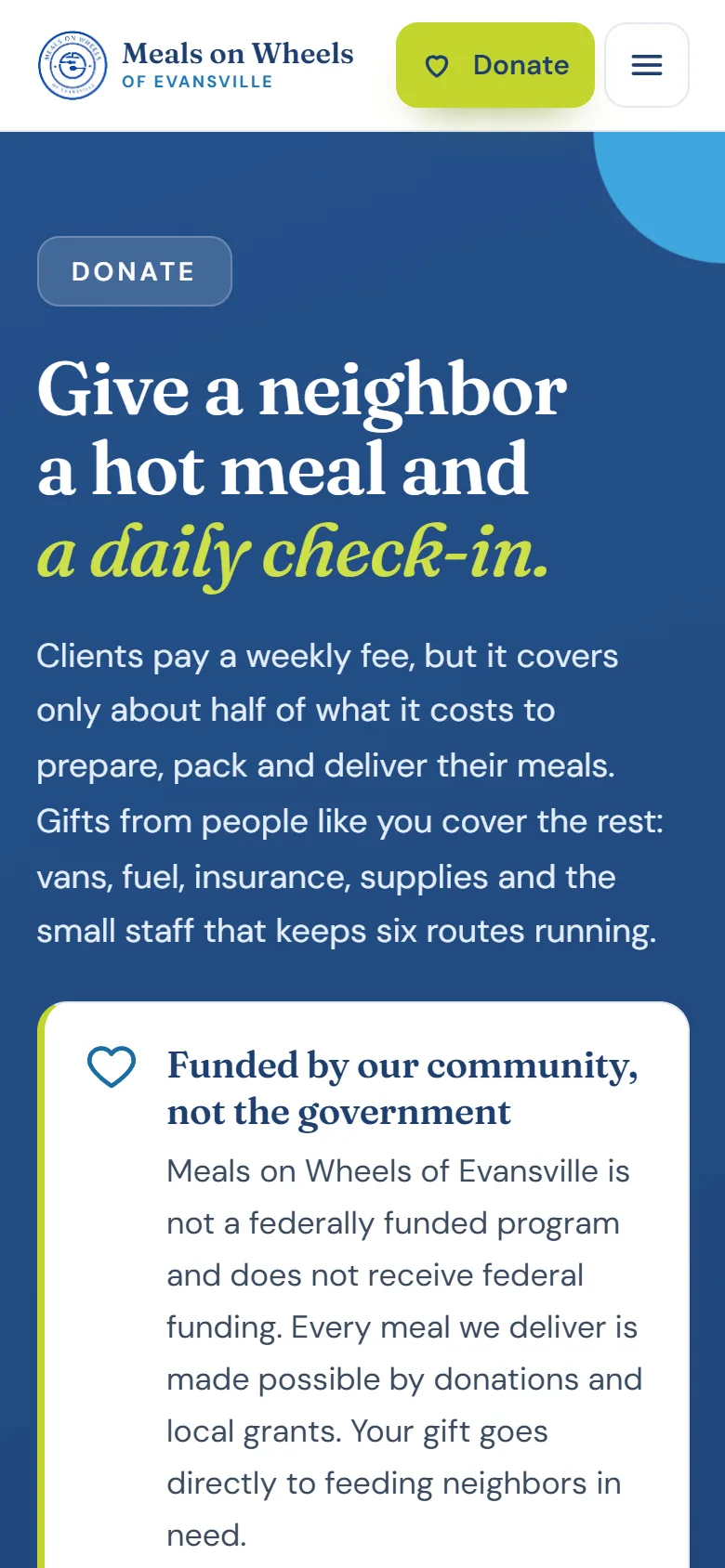
Drag the handle. People often hear about Meals on Wheels from a hospital, a doctor, or a worried son or daughter, and the first place they look it up is a phone. The first thing they see now is what the program does, and three buttons: get meals, give, or deliver.

Before: the old homepage on a phone.
After: the new homepage on a phone.
Before After

(What I built)

Every task that used to need a printer now takes a few taps.

The forms fill out the office's own paperwork.

The office runs on its paper meal application and volunteer form, and I didn't want to change how they work. So when someone requests meals or signs up to drive on the site, it fills in that same PDF right in the browser and emails it to the director, ready to file. The signature and physician sections are left blank on purpose, because those still have to happen on paper.

For families, the request is a short form in plain language. For the office, nothing new to learn.
mealsonwheelsofevansville.org/get-meals
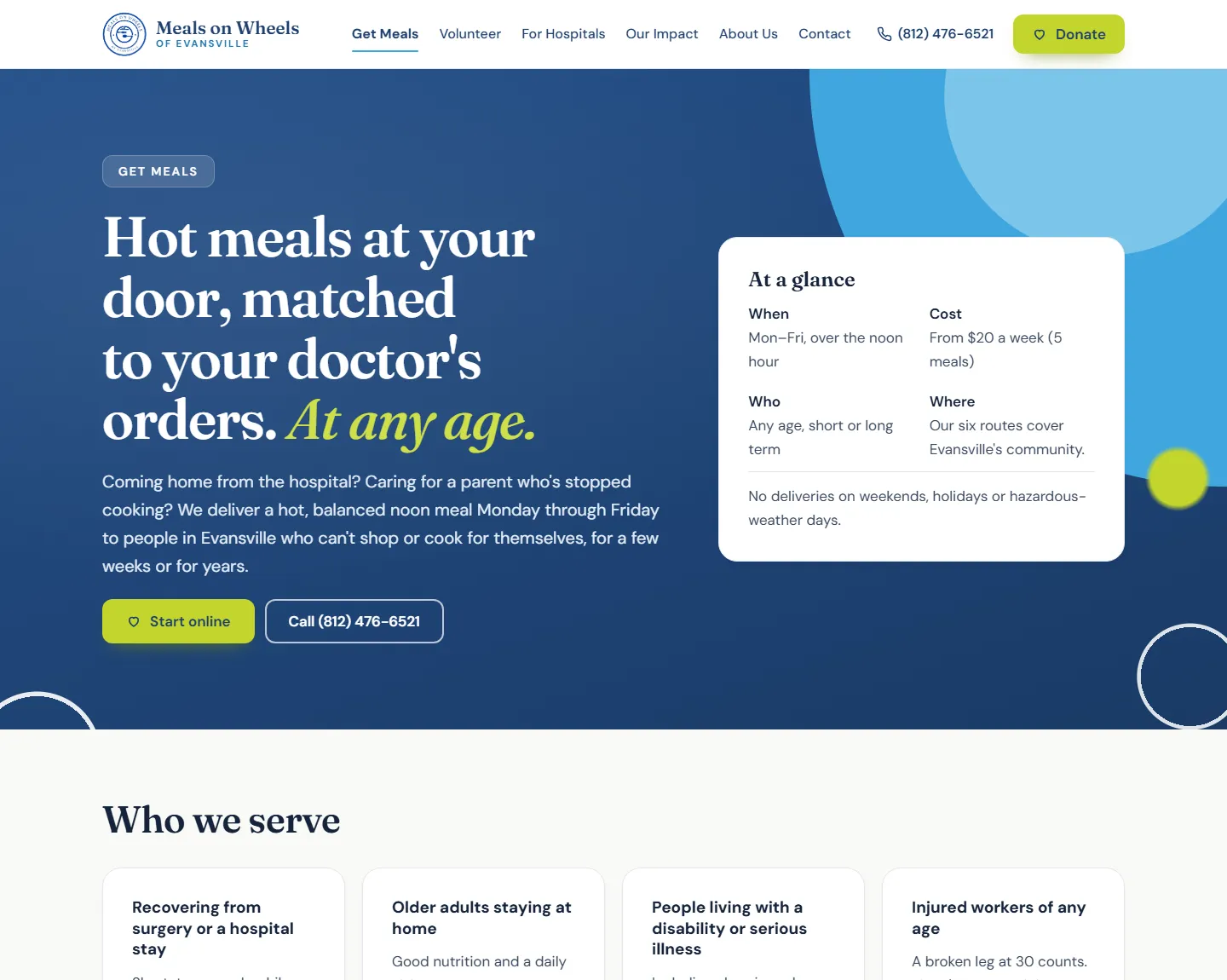
The Get Meals page: Hot meals at your door, matched to your doctor's orders, at any age, with an At a glance card listing when, cost, who and where.

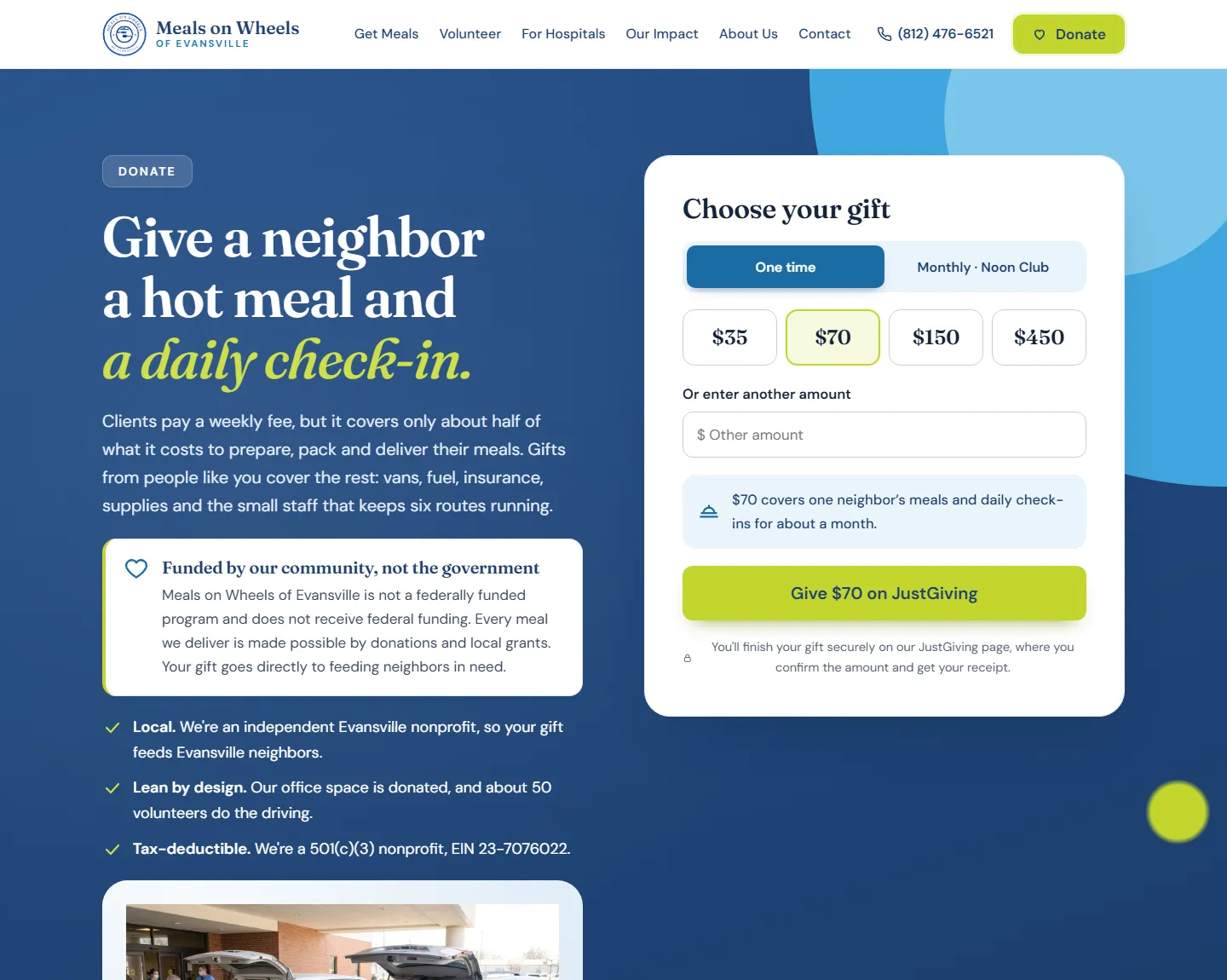
The donate page says what each gift buys.

People give more easily when they can picture it. Each amount is tied to something real: $70 covers one neighbor's meals and daily check-ins for about a month. There's a monthly option called the Noon Club, gifts in honor or memory of someone, and a box to cover the card fees. The button always shows the exact total.

Payment finishes on the organization's existing JustGiving page for now, so no gifts were interrupted during the switch.

mealsonwheelsofevansville.org/donate
The Donate page: Give a neighbor a hot meal and a daily check-in, with a gift chooser for one time or monthly, preset amounts, and a Give $70 on JustGiving button.

A page for the people who send the most referrals.

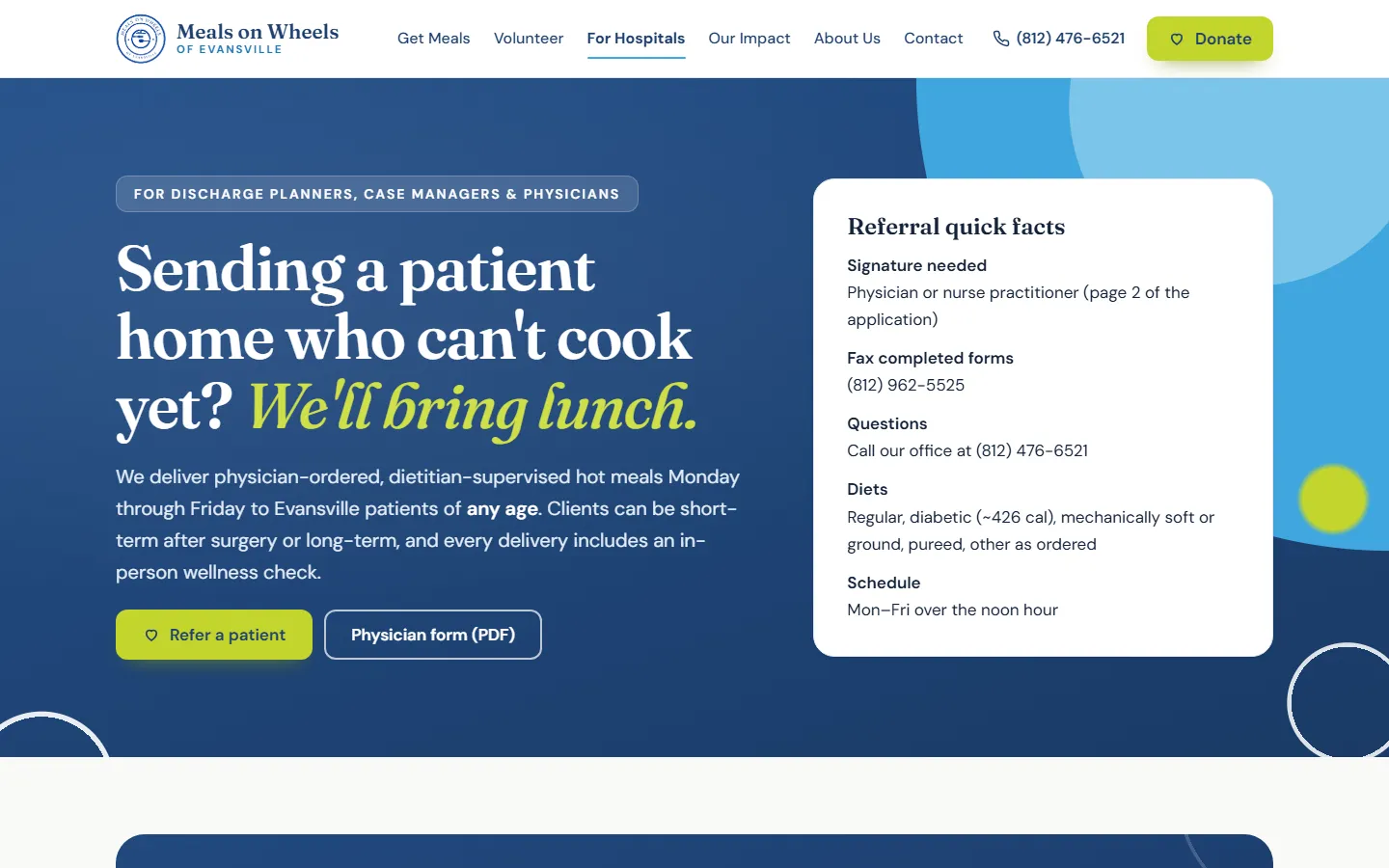
Many new clients are coming home from a hospital stay. The discharge planners and case managers arranging that need different things than families do: what the doctor has to sign, where to fax it, which diets are available. They now have their own page with the referral facts up top and the physician form one click away.

mealsonwheelsofevansville.org/for-hospitals
The For Hospitals page: Sending a patient home who can't cook yet? We'll bring lunch. A Referral quick facts card lists signature, fax number, diets and schedule.

(Design)

Built for the people reading it.

A lot of visitors are older adults and the adult children helping them, so I made readability the first design decision. Body text is 18px, every button is at least 44px tall, and color contrast meets WCAG AA. The palette comes straight from the logo, and the copy sounds like a neighbor, not a brochure.

  • Navy
  • Sky
  • Lime
  • Paper

Scroll inside the page on the right to see the whole homepage.

mealsonwheelsofevansville.org
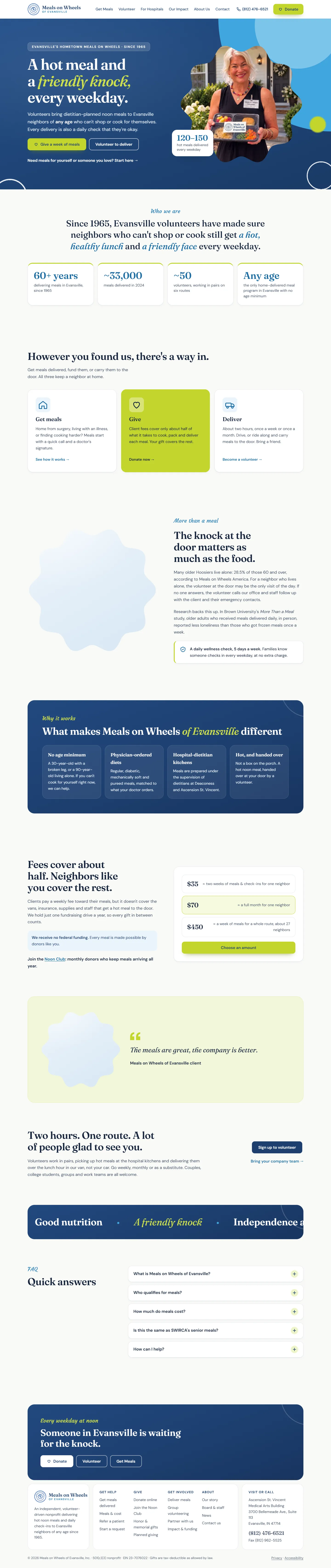
The full new homepage, top to bottom: hero, who we are with key numbers, three ways in (get meals, give, deliver), why the daily check-in matters, what makes the program different, a donation chooser, a client quote, and a volunteer call to action.

(Under the hood)

Easy to find, and nothing to break.

A small nonprofit doesn't need a plugin to update every month. The site is plain HTML, CSS and JavaScript with one small PHP script for email, so it's fast, cheap to host, and has almost nothing that can break.

  • Old links still work

    Every old page address redirects to its new page, so bookmarks, hospital handouts and search results don't hit a dead end.

  • Search results that answer questions

    Each page has its own title and description, plus structured data for the organization, its service, and its FAQs.

  • Ready for AI assistants

    An llms.txt file gives ChatGPT, Perplexity and similar tools a plain summary of who the program serves and how to sign up.

  • Usable without a mouse

    A skip link, visible focus, labeled forms, motion that turns off when a visitor asks for less, and a published accessibility statement.

Google Lighthouse, homepage

Desktop test, October 2026

97

Performance

100

Accessibility

100

Best practices

100

SEO

On a simulated phone, accessibility, best practices and SEO also score 100. Mobile performance is 74, and that's the next fix: the homepage photos are large JPEGs that should be resized and served as WebP.

(Results)

It's new. The numbers come next.

The site just launched, so I won't guess at results. The tracking is already built in: every meal request, volunteer sign-up, gift and phone tap is set up as a measurable event, ready for Google Analytics and the Meta Pixel. I'll update this page with real numbers after the first three months.

Next on the list

  • Turn on analytics and Google Search Console, and claim the Google Business Profile.
  • Move gifts onto the site itself with an embedded donation form.
  • Add real photos from the routes and the team, and speed up the mobile homepage.

Is your website still sending people to a printer?

Websites from $750, or $229 a month. Plus ads and email marketing. Tell me a little about your business and I'll get back to you with ideas and a price.